Cricket Online Registration Guide: Step‑by‑Step Instructions for a Smooth Sign‑Up
Introduction
Cricket has embraced digital transformation, offering fans, players, and administrators the ability to manage registrations entirely over the internet. Whether you are a budding cricketer looking to join a local league, an enthusiast eager to gain official match‑day credentials, or a coach registering your squad for a tournament, understanding the online registration process is essential. This guide provides a comprehensive, step‑by‑step walkthrough of every stage—from preparing the necessary information to troubleshooting common issues—ensuring that your experience is efficient and secure. By following the instructions below, you will avoid the typical pitfalls that cause delays and frustration, allowing you to focus on the game rather than paperwork.
Why Register Online?
Traditional paper‑based registration often involves manual forms, postal delays, and the risk of lost documents. Online registration eliminates these challenges by offering instant submission, real‑time validation, and a centralized database that can be accessed by officials and participants alike. Moreover, digital records simplify future updates, such as changes in contact details or medical information, and provide a transparent audit trail for compliance with governing bodies.
Prerequisites Before You Begin
Before you launch the registration portal, gather the following items to streamline the process:
- Personal Identification: A valid government‑issued ID (passport, driver’s licence, or national ID card).
- Contact Information: Current email address and mobile number capable of receiving verification codes.
- Proof of Residence: Utility bill or bank statement not older than three months.
- Medical Clearance: A recent medical certificate confirming fitness to play, if required by the league.
- Payment Method: A debit/credit card or approved e‑wallet for registration fees.
Having these items ready will reduce the time spent on each step and limit the need to pause and retrieve missing documentation.
Creating Your Account
The first concrete action is to create a user profile on the official cricket platform. Visit the registration homepage and click the “Sign Up” button. You will be prompted to enter a username, email, and password. Choose a unique username that reflects your identity (avoid special characters that may be unsupported). After submitting the form, an activation email will be sent to the address you provided. Click the activation link within 24 hours to confirm your account. Once activated, you can proceed to the next stage of profile completion.
Verifying Your Identity – The “cricket id online” Process
Identity verification is a critical security measure. After logging into your newly created account, navigate to the “Verify Identity” section. Here you will be asked to upload a scanned copy or clear photo of your primary ID document. The platform uses optical character recognition (OCR) to extract essential data and cross‑reference it with national databases. Successful verification typically takes a few minutes, but during peak periods it may extend to a couple of hours. If the system flags any discrepancy, you will receive a notification outlining the required corrective action.
Completing the Registration Form
With your identity confirmed, the next step is to fill out the detailed registration questionnaire. The form is divided into several sections:
- Personal Details: Full name, date of birth, gender, and nationality.
- Contact Information: Phone number, mailing address, and preferred emergency contact.
- Playing History: Previous clubs, positions played, and notable achievements.
- Medical Information: Allergies, chronic conditions, and consent for emergency treatment.
- Consent and Declarations: Agreeing to the code of conduct, data protection policy, and anti‑doping regulations.
Each field marked with an asterisk (*) is mandatory. The platform will prevent submission until all required fields are populated, reducing the likelihood of incomplete applications.
Uploading Supporting Documents
Document upload is handled through a drag‑and‑drop interface. Accepted file formats include PDF, JPEG, and PNG, with each file limited to a maximum size of 5 MB. When uploading your medical certificate, ensure that the document is signed and dated by a licensed practitioner. For proof of residence, a clear snapshot of the entire bill (including your name and address) is required. After each upload, a thumbnail preview appears, allowing you to confirm that the correct file has been attached.
Payment of Registration Fees
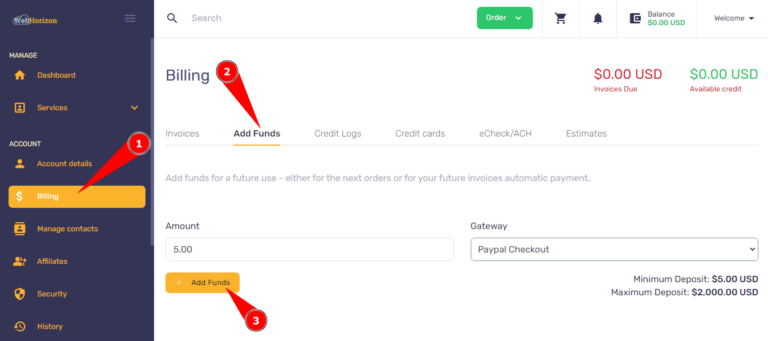
The final administrative step is the payment of any applicable fees. The portal integrates with multiple payment gateways, supporting both credit/debit cards and popular e‑wallets. After selecting your preferred method, you will be redirected to a secure encrypted page where you can enter your payment details. Upon successful transaction, a digital receipt is generated and automatically attached to your profile. Keep this receipt for future reference; it may be required for refunds or verification during match day checks.
Special Feature: Accessing the “mahakal book”
Many leagues provide a comprehensive handbook—often referred to as the “Mahakal Book”—that contains detailed rules, scheduling templates, and venue maps. Once your registration is approved, you can download this resource from the member portal. The book serves as a valuable reference throughout the season, offering guidance on everything from dress code to disciplinary procedures.
Troubleshooting Common Issues
Even with a well‑designed system, users occasionally encounter hiccups. Below are the most frequent problems and their recommended solutions:
- Activation Email Not Received: Check your spam or junk folder. If still missing, request a new activation link from the login page.
- Identity Verification Failed: Ensure the uploaded ID is legible, unblurred, and that all four corners are visible. Resubmit a higher‑resolution image if needed.
- Document Upload Errors: Verify that the file type is supported and that the size does not exceed the limit. Rename the file to avoid special characters.
- Payment Declined: Contact your bank to confirm that online transactions are permitted. Alternatively, try a different card or e‑wallet.
- Profile Not Updating After Changes: Log out completely and log back in. Some changes may require a short processing interval.
If issues persist, most platforms provide a live chat or support ticket system. Include screenshots and a detailed description to accelerate resolution.
Best Practices for a Seamless Experience
Adhering to a few simple best practices can markedly improve your registration journey:
- Use a Stable Internet Connection: A reliable broadband or 4G/5G link minimizes interruptions during file uploads.
- Prepare Documents in Advance: Scan or photograph all required paperwork before you begin the online process.
- Double‑Check Data Accuracy: Small typographical errors, especially in dates of birth or ID numbers, can cause verification delays.
- Maintain a Backup Copy: Keep digital copies of all submitted documents for at least six months after the season ends.
- Stay Informed of Deadlines: Register well before the official cut‑off date to avoid last‑minute technical bottlenecks.
Security and Privacy Considerations
Online registration portals handle sensitive personal data, making security a top priority. Reputable platforms employ end‑to‑end encryption (HTTPS), multi‑factor authentication (MFA), and regular security audits to protect user information. Your data is typically stored in compliance with local data protection regulations, such as GDPR or equivalent national statutes. Review the platform’s privacy policy to understand how your information will be used, who will have access, and how long it will be retained. Opting into newsletters or promotional communications is usually optional, and you can withdraw consent at any time.
Frequently Asked Questions (FAQ)
Can I register multiple players under a single account?
Yes. Most systems allow a primary user to create sub‑profiles for teammates or family members, simplifying the payment and documentation process.
What if I change my mobile number after registration?
Log into your account, navigate to “Profile Settings,” and update the contact information. You will be required to verify the new number via an SMS code.
Is there a refund policy if I withdraw before the season starts?
Refund policies vary by league. Typically, a full refund is available up to a specified deadline (e.g., 30 days before the first match), after which a partial refund may be issued.
Do I need an internet connection on match day?
While a connection is not mandatory for participation, having access to your digital credentials (e.g., QR code or electronic ID) can expedite entry checks.
Conclusion
Registering for cricket online has become a streamlined, secure, and user‑friendly process that empowers participants to focus on the sport rather than paperwork. By gathering the right documents, following each step in the order outlined above, and leveraging tools such as the “mahakal book” for ongoing reference, you can complete your registration efficiently and with confidence. Remember to adhere to best practices for data accuracy, keep your contact information up to date, and reach out to support channels promptly if you encounter any obstacles. With your registration secured, you are now ready to step onto the field, contribute to your team, and enjoy the excitement of competitive cricket.